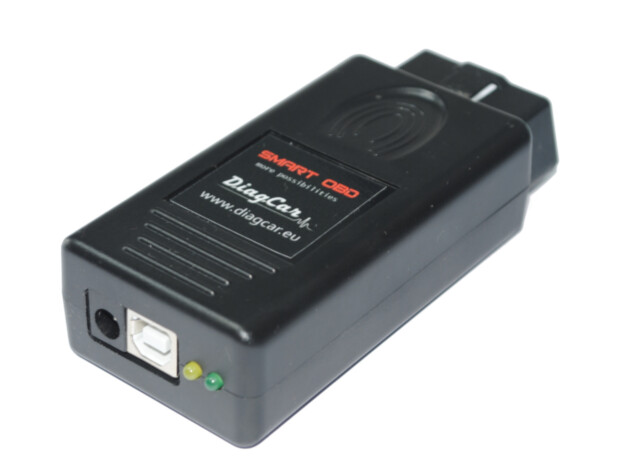



AirBag Service Tool offers a quick and easy solution for repairing crash data in airbag units.
Key Features
AST OBD2 CAN software:
Car models supported by OBD2 CAN
MERCEDES-BENZ
RENAULT
MAZDA
FORD
DACIA
NISSAN
VOLVO
KIA
HYUNDAI
HONDA
SUBARU
CADILAC
GMC
OPEL
CHEVROLET
TOYOTA
LEXUS
JAGUAR
LAND ROVER
RANGE ROVER
… AND MORE
We can ship it from a separate warehouse but you need to pay for the delivery twice, should the order contain anything else beside the tool.
The support is provided directly by the developer.

CarProTool Airbag Service Tool (AST) Yearly Subscription This is a 365-day subscription for those who have already purchased Airbag Service Tool (AST)
CarProTool Airbag Service Tool (AST) Yearly Subscription This is a 365-day subscription for those who have already purchased Airbag Service Tool (AST). All you need to do is buy the subscription and enter your serial number.
SMARTOBD CAN FD ADAPTER for working with the CAN FD protocol. Simple connection and very easy to use.
SMARTOBD CAN FD ADAPTER for working with the CAN FD protocol. Simple connection and very easy to use.
CAN FD protocols are used in many new vehicles: KIA, Hyundai, GM, Ford, VAG, Volvo and others.
Diagnose and recover crash data with CAN FD:
CAN FD Installation:
1. Connect the CAN FD ADAPTER to SmartOBD.
2. Start the AST CAN software and wait for firmware update to version 2.5 (or higher).
3. Select KIA or HYUNDAI (CAN FD) and press the «do it» button.
4. Wait for the message «CAN FD Adapter Connected… ok»
Your CAN FD adapter is ready for use.
Please note: One CAN FD adapter can only work with one SmartOBD programmer. Once the adapter has been linked, it cannot be exchanged or re-linked to other equipment.